The Easiest Wayto See AI Work
Get instant visibility into how your team uses AI, which tools they're adopting, and where it's driving results.
No credit card required · 30-day free trial · Cancel anytime
Integrate in seconds
Connect your AI tools once; events flow into every dashboard.
 Claude Code
- Cursor
- GitHub Copilot
- Linear
- Jira
 Slack
Slack- Datadog
 REST API
From the Founder
Kyle Tautenhan
CEO & Co-Founder, Oberhahn
Everyone has access to the same models. The ones pulling ahead aren't using better AI. They've built better systems around it.
Visibility is table stakes. What compounds is turning that insight into an advantage that survives every new model release.
Omaha, NE · Founded 2026
Every AI call, attributed to a person, a team, and the work it funded.
Connect your tools once. Oberhahn normalizes every model call into one ledger, then prices it, attributes it, forecasts it, and flags what it exposed.
Your whole AI spend in one snapshot.
Projected month-end, cost per session, spend per user, context-window use and an efficiency score, over a spend-over-time chart and the sources driving it. Ask the built-in copilot a question and it answers from your own data.
Your whole AI spend in one snapshot.
Projected month-end, cost per session, spend per user, context-window use and an efficiency score, over a spend-over-time chart and the sources driving it. Ask the built-in copilot a question and it answers from your own data.
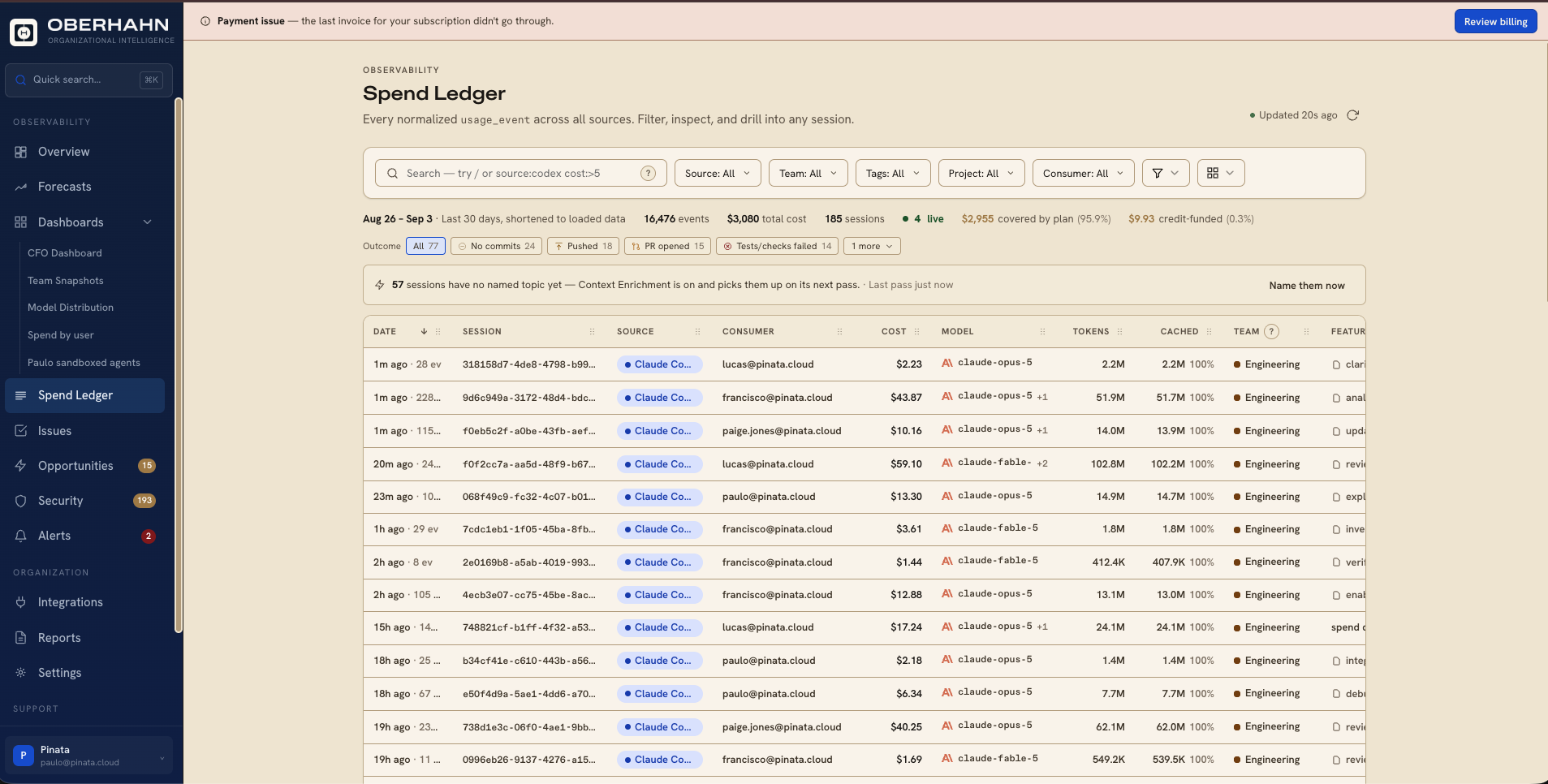
source:codex cost:>5Every normalized usage event, down to the session.
One row per session across every connected source. Filter by source, team, project, tag or consumer, or type a query like source:codex cost:>5, then open any session and read the whole thing.
AI spend attributed to the work it funded.
Sessions link to real tracker issues in Linear, Jira and GitHub, by branch, commit, session declaration or AI linking, so you get cost per estimate point and what shipped versus what sank.
Month-end spend, before month-end.
A projection extrapolated from a rolling run-rate, with a confidence read on how much of the month it has actually seen, plus the same forecast broken out by source and by any dimension you pick.
See what's worth investigating.
Oberhahn finds oversized models, week-over-week spikes, cache misses, runaway sessions and the same job done five different ways across teams, ranked by the spend each one affects and linked to the underlying activity.
What your prompts and tool calls exposed.
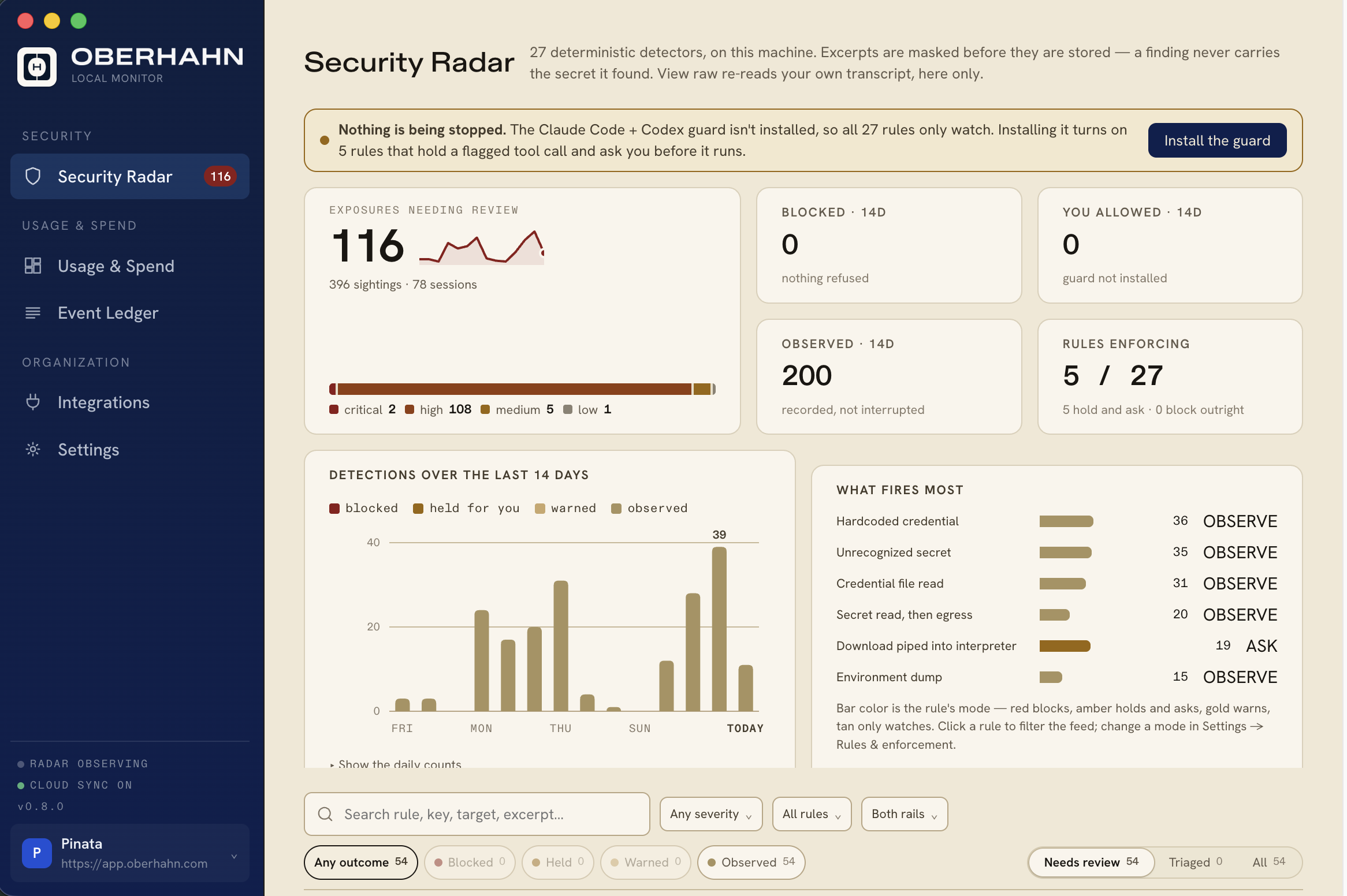
Credential leaks, environment dumps and risky commands, checked as they happen and again over stored history. Counted by rule and place, prioritized by severity, then repetition and freshness.
Connects with the existing stack
 Linear
 Jira
Jira GitHub
 OpenAI
 Anthropic
 GitHub Copilot
 Cursor
 Devin
Devin Salesforce
 Google Gemini
 LangChain
 Datadog
 NotionSlackLinearJiraGitHubOpenAIAnthropicGitHub CopilotCursorDevinSalesforceGoogle GeminiLangChainDatadogNotionSlack
How it works
Turn a single win into how the whole company works.
What one team figures out today becomes how the whole company works tomorrow.
Connect the Stack
APIs, agents, and orchestration layers are all generating activity, most without a human in the loop. Oberhahn connects to the entire stack and starts attributing every workflow from day one.
Find What's Working
Which workflows produce results, and who found something worth copying? Oberhahn surfaces the patterns worth spreading, so a win in one place lifts everyone.
Turn AI Into a Competitive Edge
The companies winning with AI know exactly which workflows produce results, and they spread them fast. That advantage compounds every quarter.
Capabilities
See, understand, and direct AI.
The intelligence layer the modern stack has been missing.
What Drove Results
Tie every model call to a workflow, team, and outcome, so you can tell which AI activity drives results and which is just activity.
What's Coming Next
Track which workflows are gaining momentum across the org, and see what's scaling before everyone else does.
What's Working Best
See the workflows delivering the best results across teams, so you know exactly what's worth scaling.
Where It's Running
Teams move across Claude, Cursor, OpenAI, GitHub Copilot, and internal agents in one workflow. Oberhahn sees the whole thing; each vendor sees only its slice.
From the blog
The Oberhahn Context
What separates organizations getting real value from AI from the ones just spending on it. What works, what compounds, and how the best teams set the standard. Grounded in the shifts that came before, focused on the one happening now.
Read the Blog →Published at
oberhahn.com/blog
New issues on what compounds, and what only looks like progress.
Now live · Get started today
Start free. Build intelligence that compounds.
Free for 30 days. Connect your first source and start seeing results instantly.
No credit card required. 30-day free trial. Cancel anytime.